CyberPanel Community

503 When Accessing LSWS webadmin and cyberpanel admin

en
engageaustin #1

Error log indicates:

Attempted to fake being google. Failed PTR lookup:
2019-10-20 15:14:02.334614 [NOTICE] [1035887] [[##REMOVEDIP##] Brute force detected for IP [##REMOVEDIP##], throttle.
2019-10-20 15:14:06.042180 [INFO] [1035887] [##REMOVEDIP##] ExtConn timed out while connecting.
2019-10-20 15:14:06.042258 [INFO] [1035887] [[##REMOVEDIP##] connection to [webadmin.##REMOVEDDOMAIN##.com:##REMOVEDPORT##] on request #1, confirmed, 0, associated process: 0, running: 0, error: Connection timed out!
2019-10-20 15:14:06.042265 [NOTICE] [1035887] [##REMOVEDIP##] Suspicious request timeout, associated process: 0, running: 0.
5 replies
wh
whattheserver #2

Looks like you triggered the Litespeed Bruteforce detection

https://www.litespeedtech.com/support/wiki/doku.php/litespeed_wiki:config:wordpress-protection

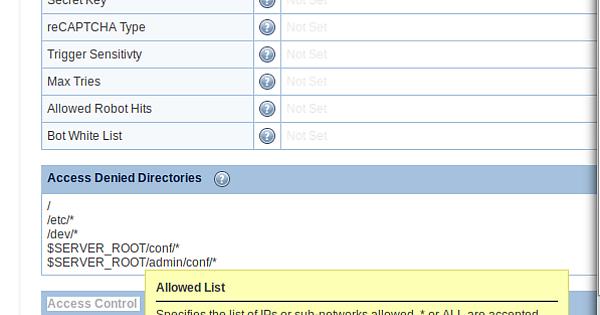
You can restart Litespeed to clear it and/or add your IP to the trusted IP list.
service lsws restart && service lscpd restart

en
engageaustin #3

Oh yea, I moved so my IP has changed. Where can I manually add my IP to the trusted IP list via SSH since I cant access cyberpanel or LSWS admin?

wh
whattheserver #6

I wondering if adding localhost/127.0.0.1 to trusted might help with that issue when its proxied?
ALL, localhostT, 127.0.0.1T, YourIPT,

I will need to test this out on a dev server when I get time

Sign in to reply