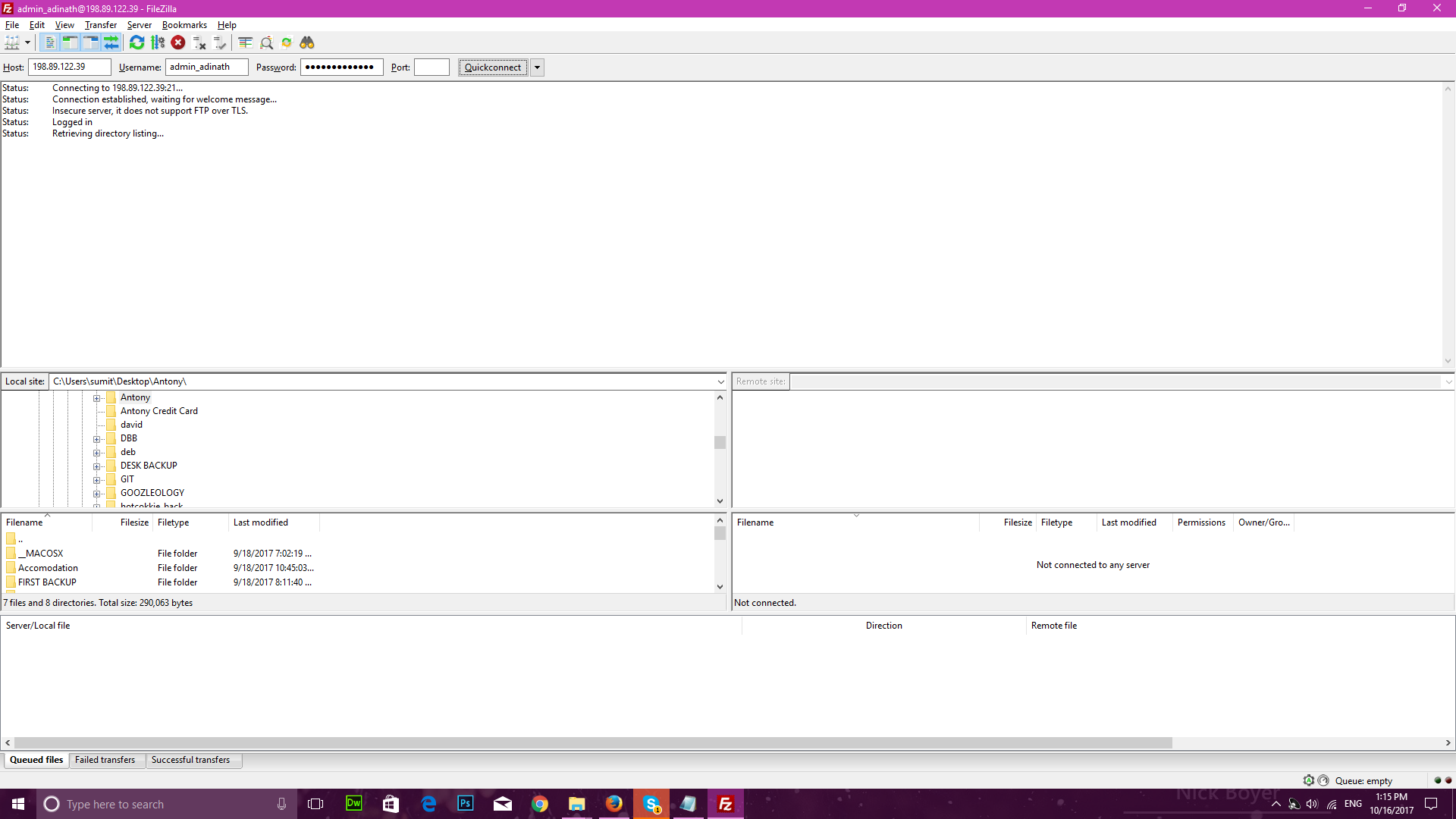
ja
jainsumit12
#1
 Community
Hello @jainsumit12
What path did you set while creating FTP account?
HI Hope.
/home/demo.adinathwebsolution.com
that is path address.
Server > Security > Firewall
Turn off firewall and give it a try.
yes, its working when turn of FireWall. but is there is any solution so we don’t need to turnoff Firewall every time.
please send a bug report to [bug at litespeedtech dot com]
use iptables to open port 21 (ftp port)
iptables -A INPUT -p tcp -m tcp --dport 21 -m conntrack --ctstate ESTABLISHED,NEW -j ACCEPT -m comment --comment “Allow ftp connections on port 21”
iptables -A OUTPUT -p tcp -m tcp --dport 21 -m conntrack --ctstate NEW,ESTABLISHED -j ACCEPT -m comment --comment “Allow ftp connections on port 21”
Allow FTP port 20 for active connections incoming and outgoing
iptables -A INPUT -p tcp -m tcp --dport 20 -m conntrack --ctstate ESTABLISHED,RELATED -j ACCEPT -m comment --comment “Allow ftp connections on port 20”
iptables -A OUTPUT -p tcp -m tcp --dport 20 -m conntrack --ctstate ESTABLISHED -j ACCEPT -m comment --comment “Allow ftp connections on port 20”
Finally allow FTP passive inbound traffic
iptables -A INPUT -p tcp -m tcp --sport 1024: --dport 1024: -m conntrack --ctstate ESTABLISHED -j ACCEPT -m comment --comment “Allow passive inbound connections”
iptables -A OUTPUT -p tcp -m tcp --sport 1024: --dport 1024: -m conntrack --ctstate ESTABLISHED,RELATED -j ACCEPT -m comment --comment “Allow passive inbound connections”
Just tested on this end and i managed to open the Passive ports using the following:
firewall-cmd --add-service=ftp
google cloud ftp Google Cloud FTP Setup with FileZilla - YouTube
Are you able to solve your issue?
Not only FTP port 20 ,21 default FTP TLS tcp port is 40110-40210
@winterrise said:
Not only FTP port 20 ,21 default FTP TLS tcp port is 40110-40210
The installation opens these ports by default, are you having any issues?
I am using GCP firewall , disable CentOS’s Firewall . Add a firewall rule accept
tcp:21
tcp:60000-61000
tcp:20
And then the ftp is worked .
Yup, you need to open ports on GCP firewall too.
ftp still not connect 
ftp still not connect :(
Are you using Google Cloud?
Also, mention the version.
use server colocation my os centos 7
I could not find the opening topic. I have the same problem. Everything was normal last night, but I can not get into FTP today.
version : Screenshot by Lightshot
please help me. tired now: S
thank you