PHP have wide list of available extensions that can be installed apart from the core PHP, CyberPanel allows you to install or remove PHP extensions from your server depending upon your web application requirements.
Installation
Server > PHP > Install Extensions
-
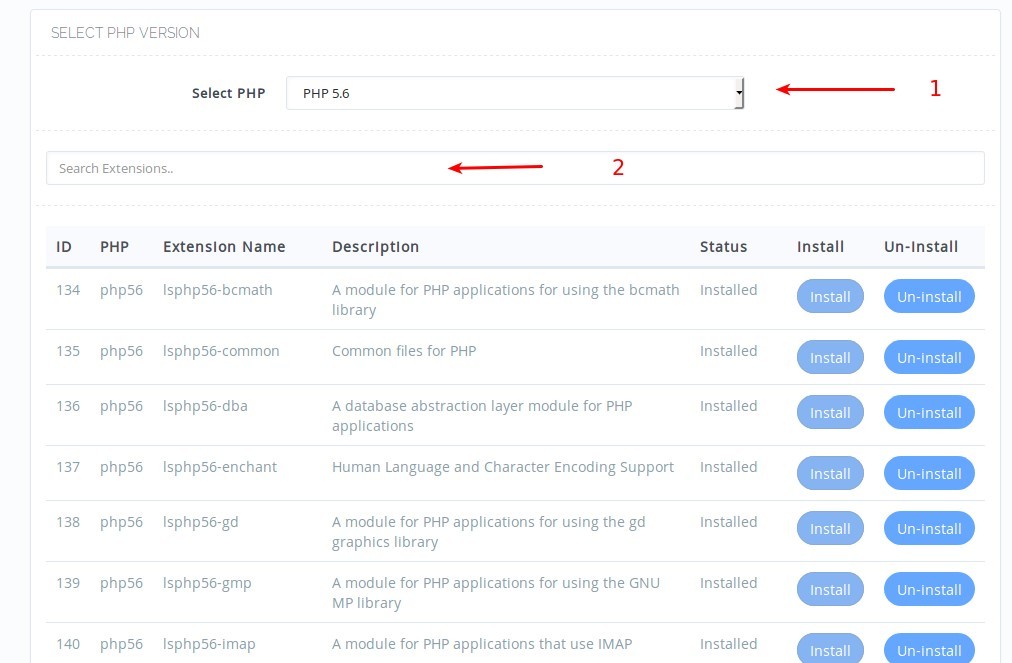
First select the PHP version you want to install extensions for.
-
You can use search box to search for extension you need.
Once you find the extension, you can click Install if extension is already installed you will not be able to perform the installation.
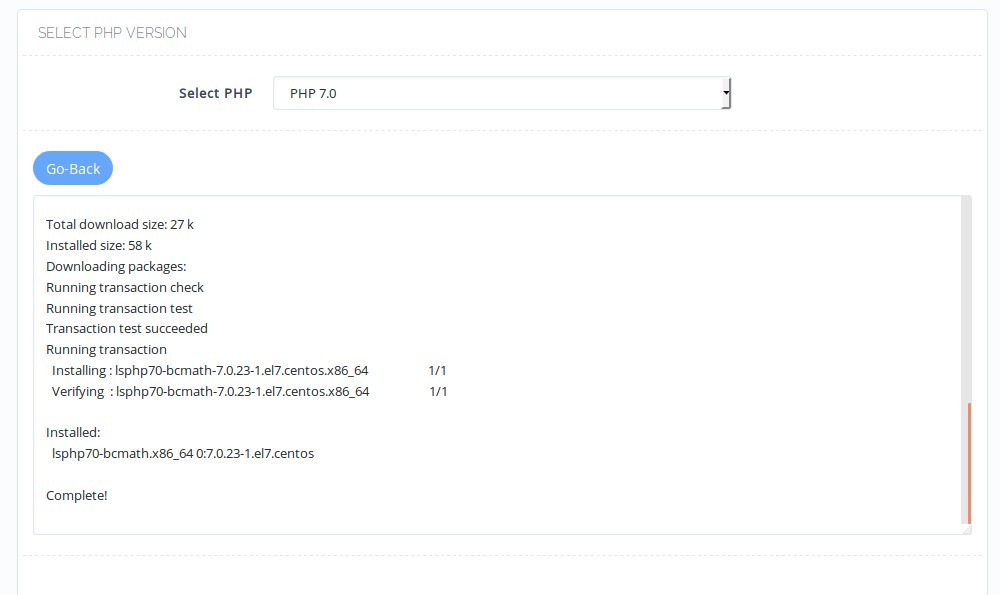
Once you click Install, you should see your installation summry which would look like:
Uninstall
Server > PHP > Install Extensions
Removing PHP extension is also very similar.
-
First select the PHP version you want to install extensions for.
-
You can use search box to search for extension you need.
Once you find the extension, you can click Un-Install if extension is not installed you will not be able to perform the removal.