
Remote transfer can help you transfer accounts from remote CyberPanel installation to local CyberPanel installation. Version 1.5 of CyberPanel is required on both ends.
Note for this feature to work, please enable SSH root login on both of your servers (source and destination server). Also make sure that during transfer the SSH ports on both end should be 22.
Fetch Accounts
Main > Back ups > Remote Back ups
The first step is to fetch and select accounts you want to transfer from the remote server.

-
Enter IP or hostname where CyberPanel is installed.
-
Enter a password for “admin” account at your remote CyberPanel installation.
After filling these detail click Fetch Accounts to get a list of accounts on a remote server.
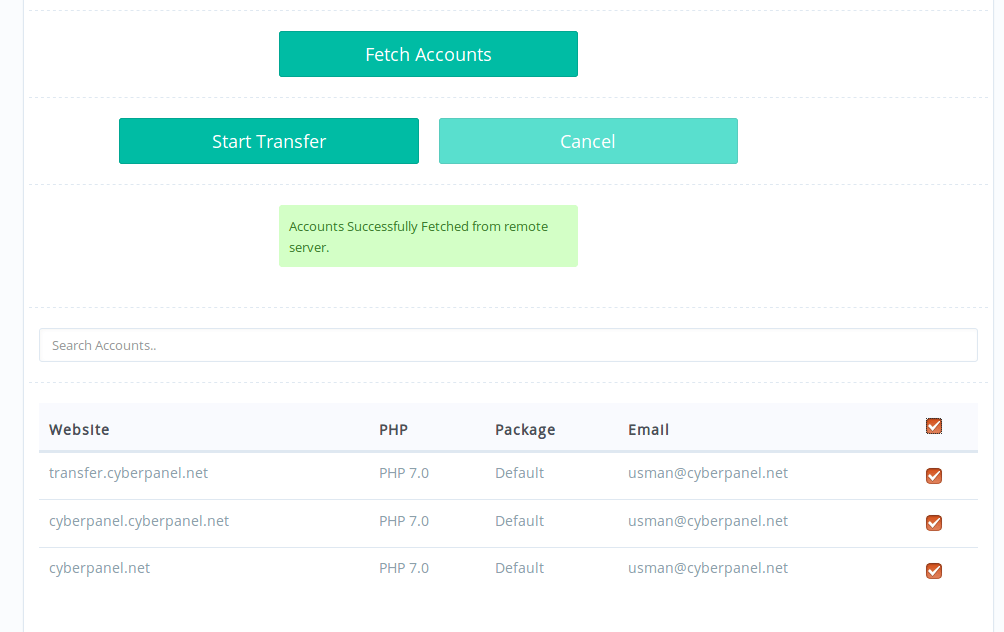
Start Transfer
Once you are satisfied with the selection of accounts you want to transfer you can click Start Transfer to initiate transfer of accounts from a remote server. Depending on the size of accounts, it may take some time to complete the transfer.