
CyberPanel Community

3 - Cloudflare DNS Synchronization with CyberPanel

RM
Rana Muhammad Usman Nasir #1
In version v2.0.0, CyberPanel has added the ability to synchronize DNS entries between Cloudflare and CyberPanel DNS on your own server

What is Cloudflare?

Cloudflare is reverse proxy service, which offers certain features such as

  • CDN (Cloud Delivery Network) by caching the data from your website and serving them from their Point of Presence nearest to your visitor. This decreases the load on your server and saves bandwidth
  • Network Gateway by automatically translating between IPv4 and IPv6
  • SSL provider by issuing a certificate for your domain on their own server with one click with zero changes on your server
  • WAF (Web Application Firewall) as Cloudflare sits between your visitors and your server it can block
  • It offers direct installation of many apps without changing anything on site.

Why do you need synchronization

In order to use Cloudflare the nameservers of the domain are changed to the ones provided by Cloudflare and that means any changes done such as adding subdomains or changing mail providers or using a new DKIM key on CyberPanel have to be manually inputted in CloudFlare’s DNS panel. You have to repeat the process for every change you make to every domain on your account on CyberPanel.

That’s a lot of manual data entry and we at CyberPanel made it easier for you to do by adding Cloudflare integration right into your CyberPanel.

What does CyberPanel Synchronisation do

CyberPanel has added deep integration with Cloudflare which can automatically do the following on your behalf

  • Add, edit or remove DNS records: Whenever you create new DNS entry like for email or subdomain or text verification, you don’t have to log in to your Cloudflare account and do it again manually
  • Create necessary zone info and domain in Cloudflare: When you create a new website on CyberPanel, CyberPanel checks if that domain is in your Cloudflare account.
    • If it is already present, Cyberpanel will create all the DNS records and copy them over to Cloudflare DNS records.
    • If it isn’t present. CyberPanel will create the domain in Cloudflare with a basic free account and then create all the DNS records and copy them over to Cloudflare DNS records.
  • Constant sync: If you change any of the records on CyberPanel or any record is missing from the Cloudflare account, this feature will update and/or populate the changes on your Cloudflare account. Note that changes on Cloudflare will not be synced to Cyberpanel.

How to use Cloudflare integration

From version v1.9.5 onwards, you can use Cloudflare integration by going into DNS-> Cloudflare
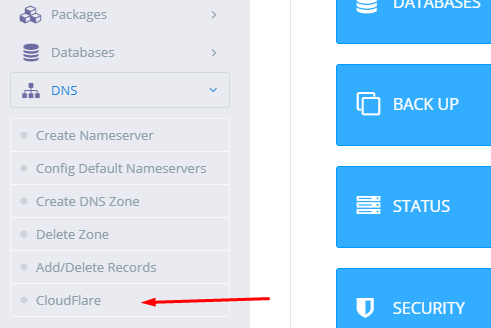
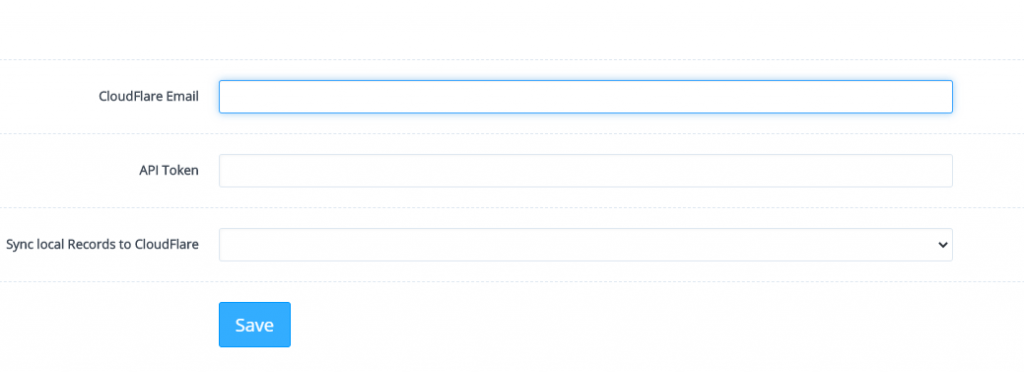
You will be greeted by a screen like this
In order to obtain API token from Cloudflare click the avatar on the right of you Cloudflare account and under profile setting click the API token tab
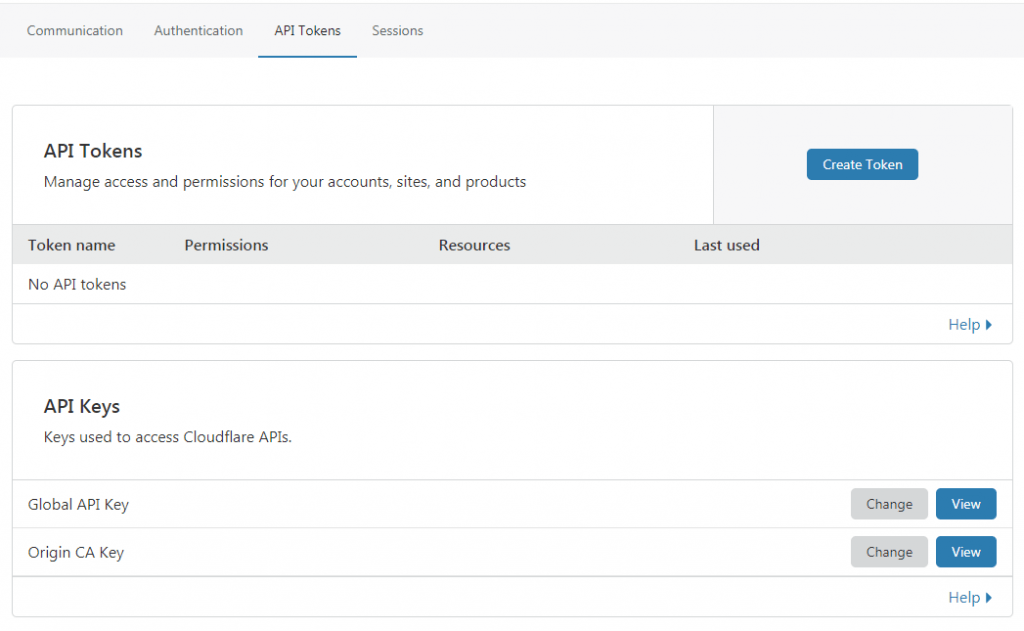
Click on the blue “View” button next to Global API Key. Enter your password to get your API token key

Please enter the email address that you use on the Cloudflare account and you Cloudflare API token generated in the last step on Cloudflare setting page in CyberPanel and select Enable for Sync local Records to Cloudflare
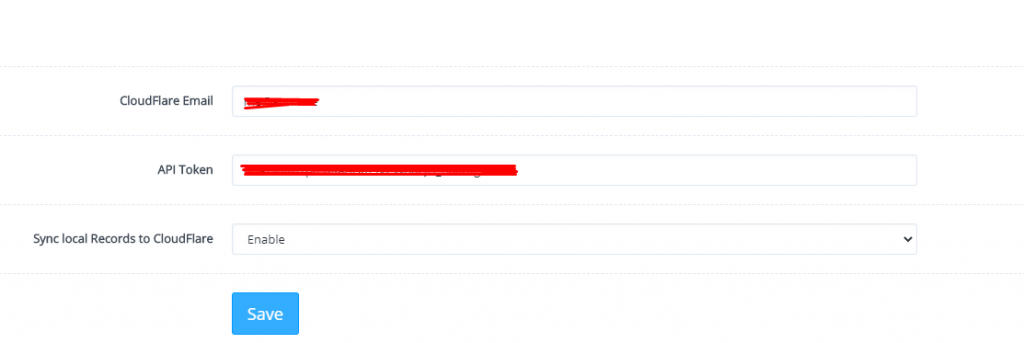
Click save

On the next screen, you can add remove or sync your DNS between CyberPanel and Cloudflare
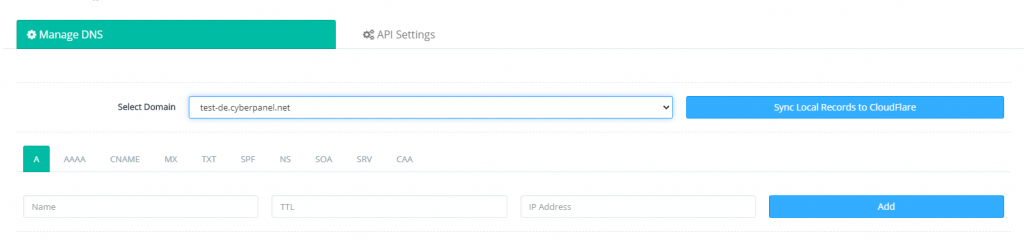
Voila, in less than 10 minutes we were able to integrate Cloudflare with Cyberpanel and we have made DNS updates easy as a breeze directly from the CyberPanel
29 replies
MK
Mirza Khadnezar S [sick] #2

hello

so i do not need input the DNS at CF anymore ?
only need add website… then… all set ?

VA
Vitor Andrade #4

Good question, what do we need first? put dns, or just sinc with cloudflare?

sh
shoaibkk #5

Only need to add website and all sync goes automatically

Ni
Nick #7

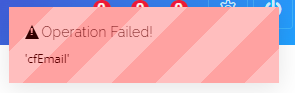
How do I remove the Cloudflare details? When I clear the email and key, i get this error:

image

Also, disabling the sync doesn’t actually work - I just created a new website after disabling and the records synced with Cloudflare automatically.

MK
Mirza Khadnezar S [sick] #10

noted… so after i do sync… i never need to open/access (except emergency) my Cloudflare anymore to add or change/edit, add, remove the zone info like mx in-A cname etc

thankyou for your update/info…

SS
Sasha Schüssler #12

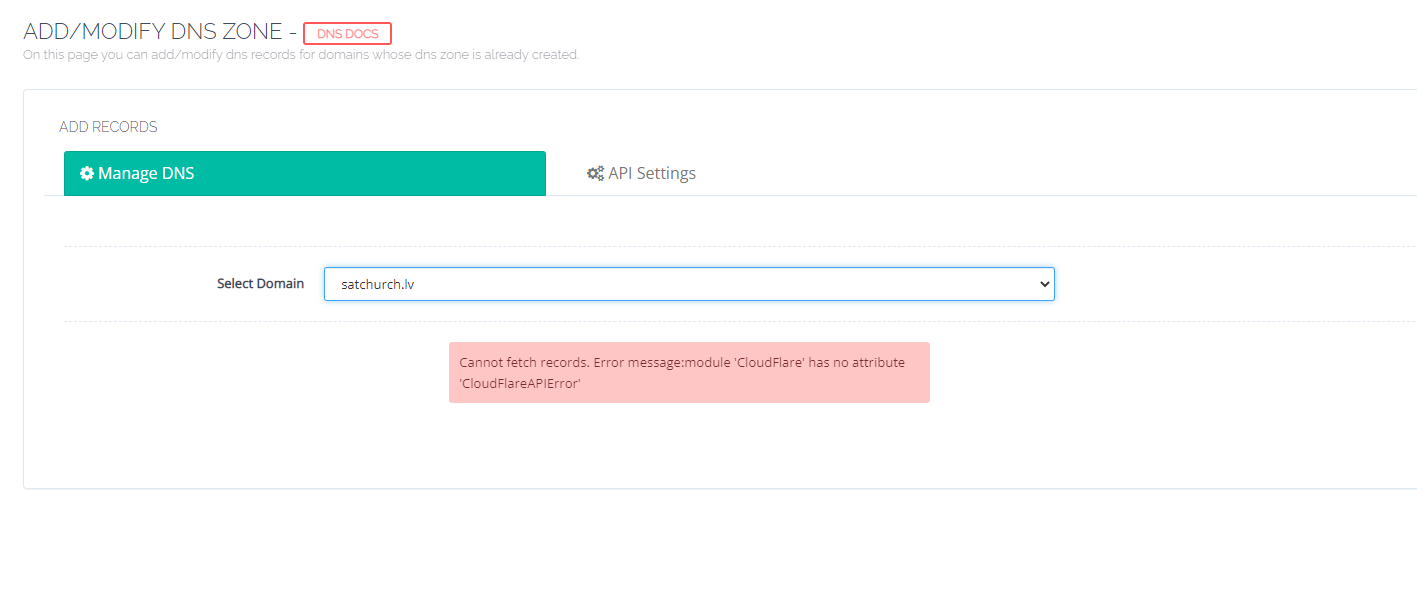
Hello, can you fixed the problem? I have the same problem and need a resultion. Thx for answer me

ma
markwilkinson #13

I agree! Synchronisation is one of the biggest players in digital communication. In telecommunication systems, timing synchronisation is critical for retrieving the original delivered signal. It is required to synchronise to the transmitter’s symbol timing in order to have a communication system that runs at the proper time and in the correct sequence. I am not sure if what I am about to say is still relevant in Cloudflare, but is it really correct that digital communication systems that use coherent modulation require three levels of synchronisation: 1. Phase, 2. Symbol, and 3. Frame?

Ni
Nick #14

Why is CyberPanel creating all sorts of DNS entries in Cloudflare for mail (a mail.domain.com entry and, TXT, SPF, DKIM entries for all subdomains)? I don’t even have DKIM turned on for my site. Moreover, when I delete them all and resync with CloudFlare, they just get re-created again! I can’t get rid of them.

Dr
Dreamer #15

This reason I don’t use sync, get tons of dns records I don’t have any clue what they for.

Ni
Nick #16

@Dreamer do you just manage DNS directly on cloudflare? I prefer CP because it is far more efficient - cloudflare requires far too many clicks to edit/create an entry.

Dr
Dreamer #17

I do everything from cloudflare so can proxy traffic from there.
I really like use their WAF custom rules and bot fight mode. With those I can easily reduce requests for server 20-60% per site depends how busy site.

Mi
Michael #18

Thankyou @usmannasir at first glance, it looks like a more streamlined way to handle DNS, but I see CP creates a lot of unnecessary DNS records.

I am not sure my DNS records on Cloudflare are optimally set up before creating this token. Everything works and I don’t get errors, but I have seen so many zone record examples, my head is spinning. Can you post what is the ideal DNS zone record to start out with? I have seen CNAME for www as well as others creating A records for www. So many different zone records, so which ones should we be using in CP and CF??

I already have mail related records on Cloudflare pointed to a third party mail provider using their provided MX, DKIM, DMARC, TXT, etc. So I don’t want Cyberpanel creating more mail related records and copying them over to Cloudflare DNS records, as I see [quote=“usmannasir, post:1, topic:103, full:true”]

In version v2.0.0, CyberPanel has added the ability to synchronize DNS entries between Cloudflare and CyberPanel DNS on your own server

These are my questions before making a move to syncing API.

I would agree, if we can be sure Cyberpanel is not going to start creating conflicting:unnecessary DNS records.

I also use CF proxy NS, but using this token on CP, from what I am reading, still benefit from Cloudflare’s proxying and WAF custom rules while syncing CP to CF?

On first read, this looks good in theory, but for existing sites it may be a bit tricky, if your DNS is not set up properly on Cloudflare to begin with.

I have posted my DNS zone record on CP with the appropriate identifications blurred. Can someone post what they think is the ideal DNS zone record.

Thanks in Advance.

Dr
Dreamer #19

I definitely don’t use CF token it’s just making tons of unnecessary records. I manually add all needed records to CF.

Mi
Michael #20

Thanks for a fast reply. @Dreamer. So far this forum’s replies are snail paced :snail: so it’s refreshing to know someone is actually reading these posts .
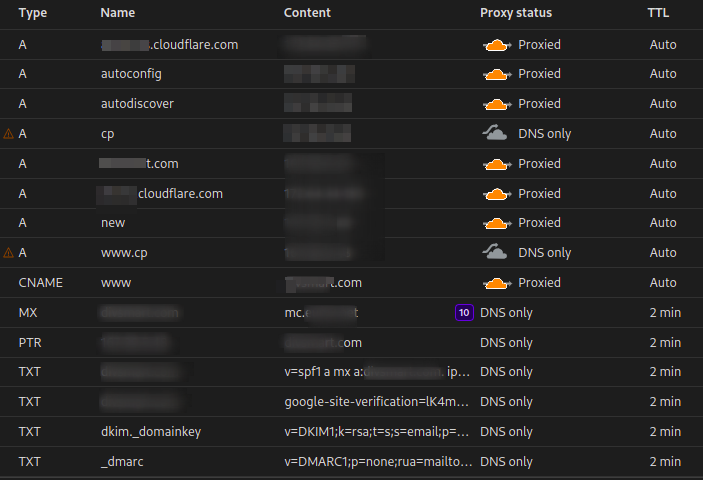
I just checked my DNS in CP, and you are right! CP has already created unnecessary A records, even one for mail.domain.com, which we don’t use, a CNAME for www and some TXT records, even though the mail records are on CF pointing to a third party mail server.

It’s more work maintaining everything in CF, at least I know what it is and why it is there. Now I just want to get it right in this domain so I can export/import the correct Zone files to the rest of the domains, since I want a uniform structure when I hand this project over to manage in my absence.

Here is what I have. How does it look to you?

Dr
Dreamer #21

Not sure what records you need. For my self I just set basic records for domains and mail records depending where mail is hosted.

Mi
Michael #22

OK, thanks. So just A record, CNAME for www and MX, TXT? I am even seeing some with mail servers set up as CNAME records. And what about glue records to reduce DNS searches.
Here is one intoDNS: cyberpanel.net - check DNS server and mail server health

Coming from fully managed host, this was all done for me, but at a high price. Now I am learning how to do it myself and saving plenty along the way :sweat_smile:

Dr
Dreamer #23

To be honest never heard glue records. I have to do research on those maybe I learn something…

Mi
Michael #24

Glue records save the search to the SOA record. On my above example, I added the glue records to line #1 and #6 after I reverse searched the Cloudflare’s IP addresses, and entered the IPs into the content field and turned off proxy.

Mi
Michael #25

In this YouTube he creates glue records without mentioning them. When you create your nameservers, Cyberpanel automatically creates an A record for ns1 and ns2 to your IP. That’s what a glue record is.

Ap
Apostolis #26

So is there any new official answer? I’m just started to think that CyberPanel is not as good as I thought. Firewall issues, now this. It’s work but why all these records are created?

Mi
Michael #27

I haven’t heard one yet.

So what are thinking of? DM if you wish.

Al
Alex #28

Not sure why there’ll be official answer, I don’t think CyberPanel are into the DNS business, it’ll varies for everyone depending on what they do. But :

1- Glue record are registrar records, they don’t reduce DNS searches ( besides, almost every dns search are cached ) glue record exist to prevent an infinite loop : I create domain1.com with ns1.domain1.com and ns2.domain1.com at registrar X, you need to create a glue record at the registrar X so domain1.com can resolve if you don’t use their nameservers, otherwise nobody knows what ns1.domain1.com means.

2- Extra record don’t matter because they have to be queried and looked for specifically. If there’s an extra mail.domain1.com that nobody use, nobody will query it… TXT and DKIM will get replaced by the third party email provider ( hopefully, if not, well you need a better third party email provider ).

I personally just AXFR ( dns zone transfer ) my dns at linode. The most annoying is the SOA serial stay always the same in cyberpanel so have to manually update it.

tr
trainingday #29

There is not way to remove the cloudfare integration without changing the api key in cloudfare itself. In cp I could not find a remove feature. I am removing because it keeps adding tons of mx records even though I do not choose for that.

HH
Hammy Havoc #31

It would be cool if it could automatically update the IP values in relevant records when a dynamic IP changes or following a server migration, which has been my #1 gripe with Plesk in the past when a server provider gives us a new IP after a few years and each DNS record on all of our domains need changing.

Sign in to reply